Three stores. Three CSV formats. One number you can trust.
If you sell on Shopify and Etsy and Amazon, "how much did I make last month" is not a number you can look up. It's an afternoon in a spreadsheet.
Every store exports differently. Shopify calls it Lineitem name, Etsy calls it Item Name, Amazon calls it item-name. One file is comma separated, one is tab separated, one arrives with $1,250.00 as text. Refunds are marked three different ways. And the gross number none of them agree on still isn't what hits your bank, because each takes a different cut.
So you paste them into one sheet and fix it by hand. Every month. Same steps.
What this does
The same five steps, in one command:
- Reads every CSV in the folder — any encoding, comma or tab separated
- Maps each store's column names to one set
- Drops cancelled, refunded and returned rows
- Totals by product and by channel
- Applies your fee rates so you see net, not gross
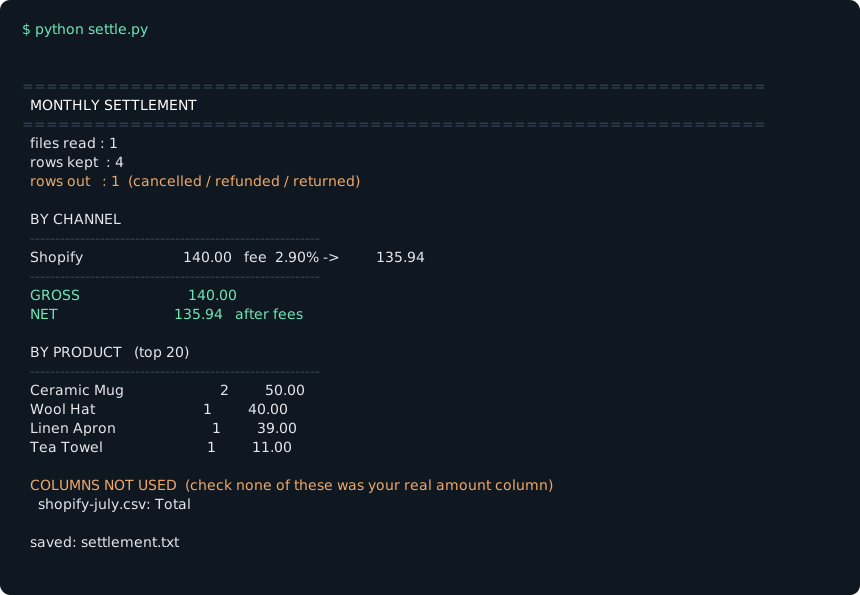
$ python settle.py

==============================================================
  MONTHLY SETTLEMENT
==============================================================
  files read : 3
  rows kept  : 5
  rows out   : 3  (cancelled / refunded / returned)

  BY CHANNEL
  ----------------------------------------------------------
  Etsy                          5,000.00   fee  6.50% ->       4,675.00
  Amazon                          236.00   fee 15.00% ->         200.60
  Shopify                          87.00   fee  2.90% ->          84.48
  ----------------------------------------------------------
  GROSS                         5,323.00
  NET                           4,960.08   after fees
Nothing is uploaded
This is a single Python file that runs on your computer. There is no account, no API connection, no server. Your order data — customer names, addresses, revenue — never leaves the machine you run it on.
That is also why there is nothing to cancel. It is a file, not a subscription.
It refuses to guess
This is the part that matters, and it is the opposite of what most spreadsheet templates do.
If a file has no column the tool recognises as the amount, that file is listed as skipped and left out entirely:
SKIPPED FILES  (nothing was guessed — these were left out)
  myshop.csv — no column found for: amount
It also prints every header it ignored, so you can check your real amount column didn't land in the wrong bucket.
A wrong total that looks right is worse than a missing one. You act on a wrong total. You investigate a missing one.
Setup
| Step | What you do |
|---|---|
| 1 | Export orders from each store. Put the store name in the filename (shopify-july.csv) — it's used as the channel when the file has no channel column. |
| 2 | Drop the CSVs in the folder next to settle.py. |
| 3 | Create fees.txt — one shopify = 2.9 line per channel. Optional, but this is where net comes from. |
| 4 | python settle.py |
Python 3.6 or newer. Standard library only — nothing to install. Already on every Mac; Windows users get it from python.org.
What it does not do
- No sales tax or VAT calculation — that's an accountant's job
- No inventory or fulfilment tracking
- No connection to your store — it reads files you exported
Fee rates are your numbers. Marketplaces change rates and add per-order and payment-processing charges that no single percentage captures exactly. Treat NET as a planning estimate; your settlement report from each store is the number of record.
It's free and it's on GitHub. One file, MIT licensed, no signup.
github.com/actorlee007-cmyk/multichannel-settlement
Tell me which stores you sell on and I'll make sure your column names are already in the dictionary before I send it.
Doing it by hand this month? The four places multi-channel totals silently go wrong walks through the same six steps in a spreadsheet.
※ Marketplace fee structures and settlement schedules vary by seller and change frequently. Confirm your actual rates in each seller dashboard.